May 03
2015
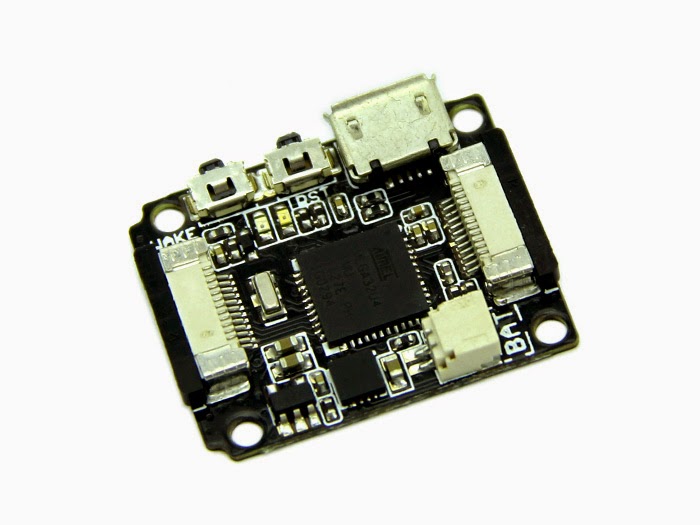 I bought a Seeedstudio Xadow recently, and to get it to work with Arduino 1.6.3 was bit of a pain. Long story short, you can find the necessary files along with pithy instructions at my github repo.
The most crucial difference between the files Seeedstudio supplied and what is needed is that when referencing the core and variant, you must specify the vendor ID, or Arduino 1.6.3 will assume that you have custom source files in the vendor directory. In other words, instead of
Xadow.core=arduino
You must write
Xadow.core=arduino:arduino
This bit of information, along with others, is documented on arduino's github wiki, in particular Referencing another core, variant or tool.
Cheers,
Steve
Dec 31
2009
I spent the better part of two hours struggling with your average HD44780 driven 16x2 character LCD, even though I was using the LiquidCrystal library that comes with the arduino environment. My problem was the text I was printing out looks like this:
I tried a lot of things, like …
Jun 01
2009

Code to drive it is avaliable under GPL.
An updated version of the schematic as a .sch file is available also.
Cheers,
Steve
Feb 09
2009
A simple 2 DoF setup with an accelerometer (LIS302DL) attached to the effector. The seeeduino attempts to drive the servos so the Z and Y axis measure zero acceleration. The sketch is available at the usual place.
The algorithm employed is a simple PD controller with pseduo-gradient stepping to determine …
Dec 25
2008
[

](http://www.flickr.com/photos/sentientintelligence/3134648563/ "photo sharing")
[DIY digital spirit level](http://www.flickr.com/photos/sentientintelligence/3134648563/)
Originally uploaded by [sentientintelligence](http://www.flickr.com/people/sentientintelligence/)
A simply digital spirit level using a LIS302DL accelerometer from nkcelectronics coupled with a seeeduino for processing and a 2x16 …
Dec 12
2008
2x16 character LCD displays can be tricky beasts. I got mine working today with my seeeduino (an arduino compatible board with more awesome), and really wished I had known that:
-
The contrast pin needs to be in the same power network as the power and ground pins. The contrast pin …

